Free calculator
Parking dynamic pricing calculator: time-of-day rates and revenue lift
Last updated: . Every calculation runs entirely in your browser; nothing is sent to our servers unless you opt in to email your result.
The economic logic of dynamic parking pricing
A flat-rate parking lot is wrong twice a day: too high in the off-peak hours (drivers leave and revenue evaporates) and too low in the peak hours (drivers queue, the lot fills, and a willing-to-pay-more customer is turned away). Dynamic pricing solves both problems by letting the rate vary so each time slot is priced near its individual market-clearing rate.
The mathematical target most operators use is ~80-85% occupancy. Below 80%, you have unused inventory — the rate is too high and could come down. Above 85%, you are leaving willingness-to-pay on the table — the rate is too low and could go up. The calculator's recommended rates target ~80% in each time slot, which empirically maximizes both revenue and driver satisfaction (parkers find a space, lots earn).
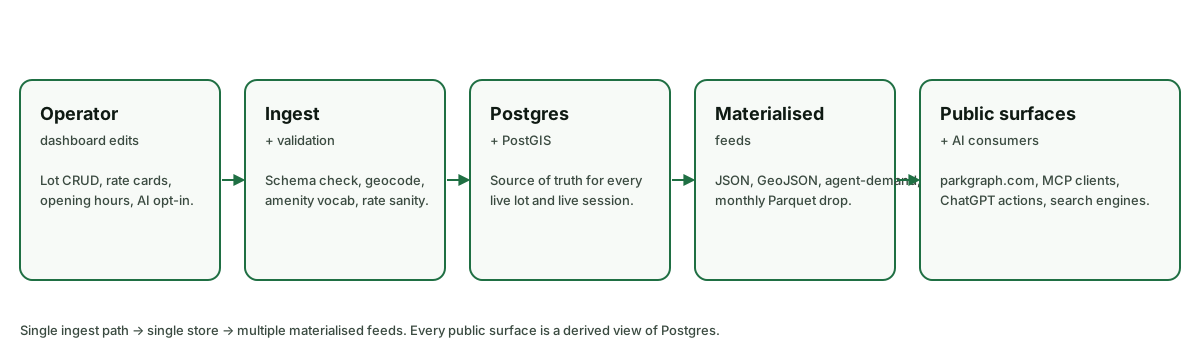
Reading the recommended-rate table
The table shows five default time slots — overnight, morning commute, midday, evening/event, and late night — with a baseline demand level for each. The calculator computes the rate that would shift each slot's occupancy toward the 80% target given your elasticity assumption. The result is your daily pricing schedule.
In typical commuter-lot inputs (low elasticity, ~75% morning demand, ~60% midday), the recommended morning rate sits modestly above your flat baseline and the midday rate sits modestly below. The aggregate effect is a projected lift of 15% to 25% driven mostly by the peak premium, with a smaller contribution from filling off-peak. In event-lot inputs (higher elasticity, ~90% evening demand), the evening rate climbs more aggressively and contributes most of the lift.
Note the suggested rate quantizes to the nearest quarter ($0.25). This matches the granularity drivers expect at the QR-scan checkout and avoids over-precision (a rate like $5.34 reads as user-hostile).
Setting elasticity correctly is the critical input
The biggest source of error in dynamic pricing models is wrong elasticity. Set it too low and the model recommends prices that empty the lot; set it too high and the model recommends overly-conservative prices that leave money on the table. Three rules of thumb:
Captive demand → low elasticity (0.2-0.4). Lots near offices where employees have nowhere else to park, lots at ski resorts where the only alternative is a 30-minute shuttle from a satellite lot. Drivers are effectively locked in.
Choosable demand → moderate elasticity (0.4-0.7). Mixed-use urban lots where 2-3 alternatives exist within a 5-minute walk. Drivers will compare prices but won't walk far for $1 of savings.
Event / destination demand → high elasticity (0.7-1.2). Stadium and concert lots where drivers explicitly price-shop and are willing to walk further for a discount. Tourist destinations where parking is a discretionary cost.
If you don't know your elasticity, run the calculator at three values (0.3, 0.5, 0.8) and look at the spread. If lift is positive across all three, dynamic pricing is robust for your lot — commit and refine elasticity later from live data. If lift is only positive at the lowest elasticity, run a small pilot before committing.
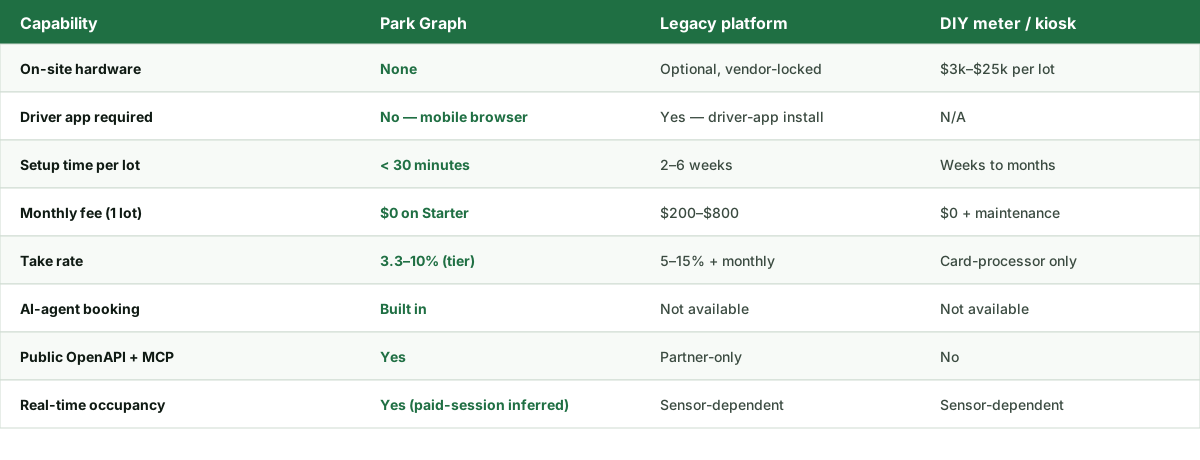
Implementation guardrails that prevent bad outcomes
The dynamic-pricing failure mode operators worry about most is "Uber surge with no upper bound" — rates spiking 5× during an event and producing viral-bad PR. Park Graph implements three guardrails by default to make this failure mode operationally impossible.
Maximum swing. Default ±25% from the baseline rate. A $5 baseline can move to $3.75-$6.25 but never to $1 or $15. This is configurable per lot if you have a documented business reason to widen the band.
Posted rate at scan time. The driver sees the current rate at the moment they scan, before they commit. There is no after-the-fact billing surprise — if the price moved during their parking session, they pay the rate posted at scan time, not the rate active at exit.
Freeze-on-anomaly. If the demand signal looks anomalous (a Twitter event, a sensor glitch, a sudden capacity drop), the system holds the last sane rate rather than chasing the spike. This trades a small amount of upside for the elimination of catastrophic-headline risk.
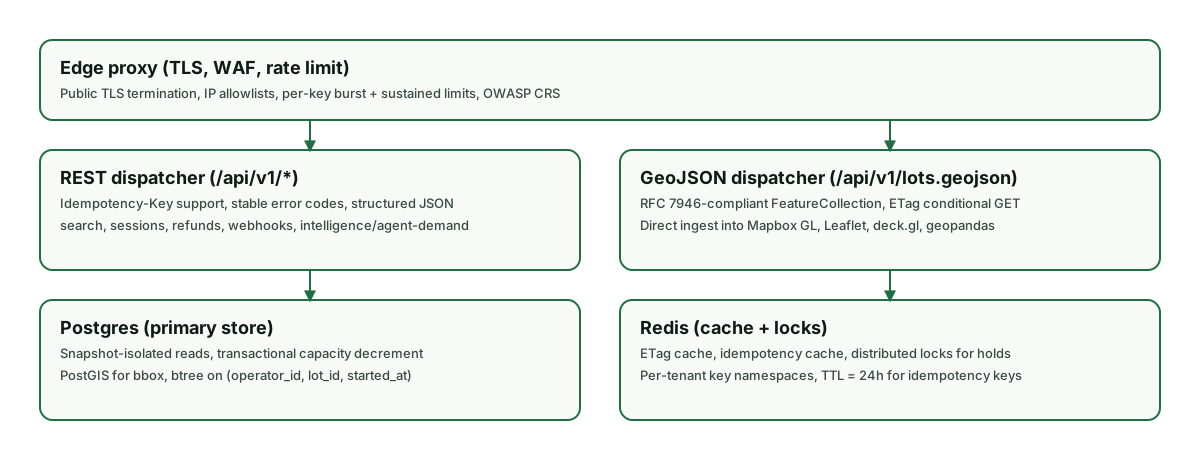
Related calculators and pricing tools
- Optimal price calculator — for the simpler problem: given current rate and occupancy, what single rate change should you make this week?
- Revenue calculator — model gross revenue at the dynamic-pricing-adjusted rate from this calculator.
- Parking revenue optimization guide — academic background on the SFpark experiment and the elasticity figures used here.
Ready to turn this estimate into real revenue?
Print a QR sign, post it at your lot, and start accepting payments today. The Starter plan is free forever.
FAQ — Parking Dynamic Pricing Calculator
- What is dynamic pricing for parking?
- Dynamic pricing means your hourly rate changes based on demand instead of staying flat. Common implementations include time-of-day pricing (different rates for morning, midday, evening), event-based pricing (premium during nearby concerts or games), and demand-following pricing (rates adjust based on real-time occupancy). The goal is to keep occupancy near 80-85% so the lot is full but not turning drivers away.
- How much revenue lift does dynamic pricing typically deliver?
- The SFpark study (the largest published municipal experiment) measured per-space-hour earnings rising in the projected band of roughly 13% to 30% across pilot blocks. Park Graph projects a 22-30% blended uplift after a 60-day learning period when switching from flat-rate to demand-following pricing. The headline 'lift' depends heavily on where your current pricing sits — overpriced lots can actually see negative initial lift as rates drop in low-demand windows.
- What is demand elasticity and why does the calculator ask for it?
- Elasticity measures how responsive driver demand is to price changes. An elasticity of 0.4 means a 10% price increase reduces demand by ~4%. Commuter lots have low elasticity (~0.2-0.4) — drivers are price-insensitive because parking is a means to an end. Event lots have higher elasticity (~0.7-1.2) — drivers shop on price because alternatives are available. The calculator uses your elasticity to compute optimal rates per time slot.
- Won't dynamic pricing alienate my regular customers?
- It depends on implementation. Sudden, large price swings during peak hours can frustrate regulars. Most operators implement dynamic pricing in two phases: first with stable time-of-day rates posted in advance (commuters can plan), then with finer real-time adjustments only at the margins. Park Graph defaults to ±25% maximum swing from the baseline rate to prevent regulars from seeing a 3× price spike.
- Is dynamic pricing legal everywhere?
- Mostly yes for private lots, with caveats for municipal operations. Most US cities allow private operators to set any price they want as long as it's posted before the driver commits to parking (the standard for posted pricing is the moment they pull into a space). Some jurisdictions cap event-day surge multiples; verify with your local consumer protection authority. Municipal lots typically operate under formal pricing schedules that require council approval to change.
- How often do dynamic prices update?
- Park Graph updates demand-following rates every 15 minutes. Time-of-day rates change at slot boundaries (e.g., 6am, 9am, 5pm, 10pm) which are configurable. Event-based premium pricing activates 2-4 hours before the event start. The cadence is a balance between responsiveness (small frequent changes) and predictability (drivers can trust the posted rate at scan time).
- What happens to spaces during a price drop in low-demand hours?
- They fill up. Lower prices during off-peak hours pull demand from drivers who would otherwise have parked on-street, in a competitor's lot, or skipped a trip entirely. SFpark found off-peak occupancy rose 5-15 percentage points after rate reductions. The calculator captures this — slot-level revenue often goes up even when the hourly rate drops, because filled spaces > empty spaces.
- Can I run dynamic pricing without changing hardware?
- Yes, if you're already on QR-based payment. The price is set server-side at scan time — drivers see the current rate when they scan their phone, not on a static sign. If you're still on coin meters or pay stations, you need to either swap to QR or add a digital sign that updates at slot boundaries. Most operators choose the QR swap because it's an order of magnitude cheaper.
- What if my lot has very predictable demand (commuter only)?
- Dynamic pricing still helps but the lift is smaller — typically 8-12% instead of 25-30%. The mechanism is different: instead of capturing peak premium, you're optimizing the steady-state rate. The calculator's recommended rates will sit close to your current rate with modest variation. If your lift is under 8% modeled, the operational complexity isn't worth it; stick with flat pricing.
- How do I communicate dynamic pricing to first-time visitors?
- Two ways. (1) The QR sign shows the current rate at scan time, so a first-time visitor sees the correct number before committing. (2) Wayfinding and entry signage say 'Rates vary by time of day — scan QR to see current rate' so visitors aren't surprised. Avoid posting historical rates that no longer apply; that's the most common driver complaint about dynamic pricing implementations.