Resources
Everything you need to get more from Park Graph
Guides, customer stories, and a friendly community of operators — plus direct lines to our team when you need a human.
Getting Started
From signup to your first paid session — the 10-minute walkthrough.
Learn moreBlog
Industry insights, product updates, and stories from operators.
Learn moreTutorials
Step-by-step guides for the most common operator workflows.
Learn moreVideos
Twelve short films, each under a minute, with captions and full transcripts.
Learn moreCase Studies
How airports, hotels, and municipalities run on Park Graph.
Learn moreCommunity
Connect with other Park Graph operators and our team.
Learn moreHelp Center
Searchable FAQs covering billing, lots, payments, and AI integrations.
Learn moreContact
Talk to sales, support, or partnerships.
Learn moreHow the Park Graph resource library is organized
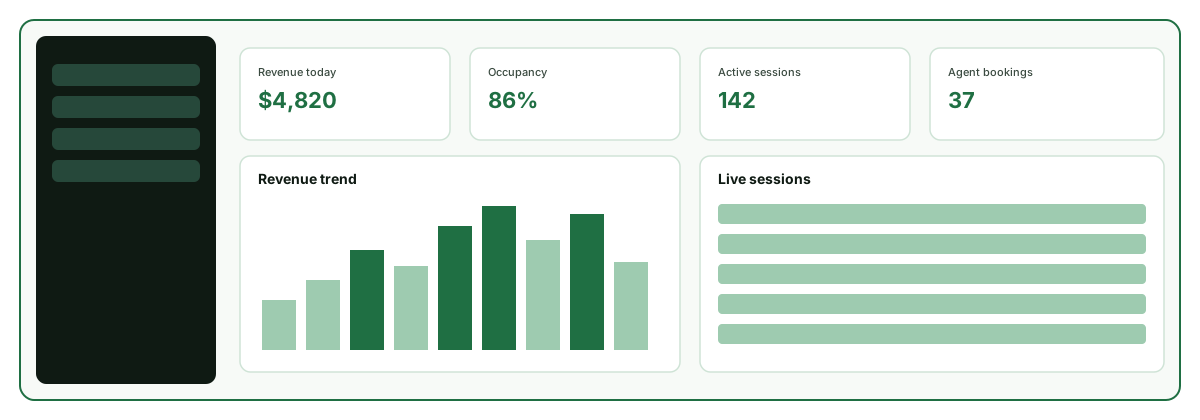
Park Graph replaces parking hardware with a QR code, a dynamic pricing engine, and an operator dashboard that AI agents can read and book against. Because the platform spans payments, pricing, and machine-readable lot data, our resources are grouped so you can find the right depth of material no matter where you are in your journey — from the first time you scan your own QR code to the day an AI agent books a space on your behalf.
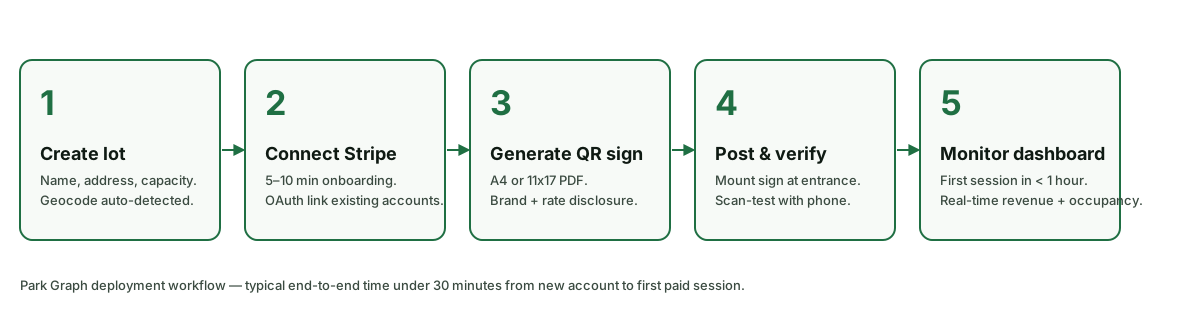
New operators usually begin with the Getting Started walkthrough, which takes you from signup through Stripe Connect onboarding to a posted QR code and your first paid session. From there, the Tutorials hub breaks individual workflows — dynamic pricing, custom QR branding, multi-lot management, API keys, and webhook notifications — into short, focused walkthroughs you can follow at your own pace. The Blog covers the bigger picture: why hardware-based meters are fading, how AI agents change the way drivers discover parking, and how dynamic pricing lifts revenue per space.
Support, community, and proof
When you need an answer fast, the Help Center collects searchable FAQs across account and billing, QR codes and payments, lots and pricing, and AI integrations. If you would rather talk to a human, the Contact page routes you to sales, support, or partnerships, with clear expectations about response times. The Community hub is where operators compare pricing strategies, share what is working in their markets, and vote on the features they want next.
Our Case Study program documents how real operators run on Park Graph. Because the platform is in its pilot phase, we publish named, operator-approved stories only as each deployment reaches a milestone — no placeholder testimonials and no invented numbers. Every published study pulls revenue figures directly from the operator's Stripe Connect account and session counts from production data, so the results can be audited and compared across lots, airports, hospitals, venues, and municipalities.
Choosing where to start
If you are brand new to Park Graph, the fastest path is to read the Getting Started guide end to end, then create a free account and follow it step by step. You will move from signup to a connected Stripe account, a configured lot, a printed QR code, and your first paid session — without buying or installing a single piece of hardware. Once your lot is live, the Tutorials hub is the natural next stop: it turns each capability, from dynamic pricing to webhook notifications, into a short walkthrough you can complete in a few minutes.
Operators who already run lots tend to use these resources differently. They lean on the Help Center for quick answers, drop into the Community to compare pricing strategy with peers, and watch the Blog for industry context on where parking is heading — toward software-defined lots, dynamic pricing, and inventory that AI assistants can discover and book. Developers and integration-minded operators will find the threads they need in the AI and integration tutorials, which explain how API keys, webhooks, the public API, the MCP server, and ChatGPT Actions fit together.
Whatever brings you here, the goal of this library is the same: to help you run a more profitable, lower-maintenance parking operation and to make your lots visible in the places drivers now look for parking — including conversations with AI assistants. When the written material does not cover your situation, the Contact page connects you with sales, support, or partnerships, and you can expect a response from a real person within one business day.
Ready to modernize your parking?
Get started in minutes. No hardware required. Generate your first QR code for free.