Set up webhook notifications
Advanced5 minPro and Enterprise
What you'll do
Have Park Graph tell your server when a car parks, leaves or pays.
Have ready
- A Pro or Enterprise plan
- An https address on your server that accepts POST requests
Step 1: Add your endpoint
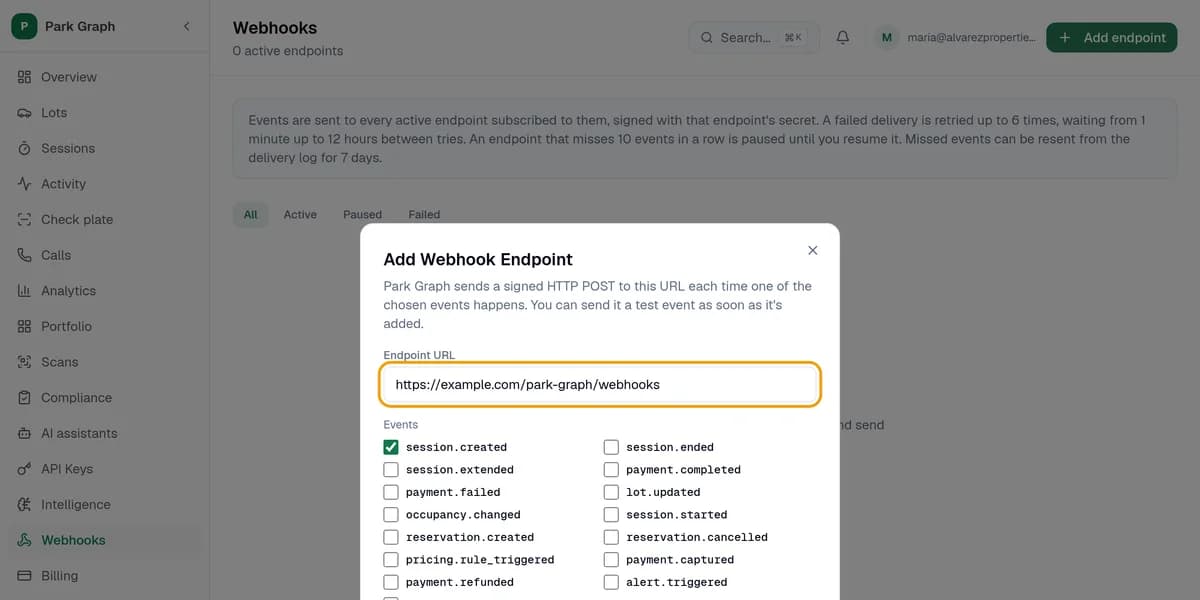
In your dashboard, click Webhooks, then Add endpoint. Paste your server's address into Endpoint URL. It must start with https://.
Step 2: Pick events
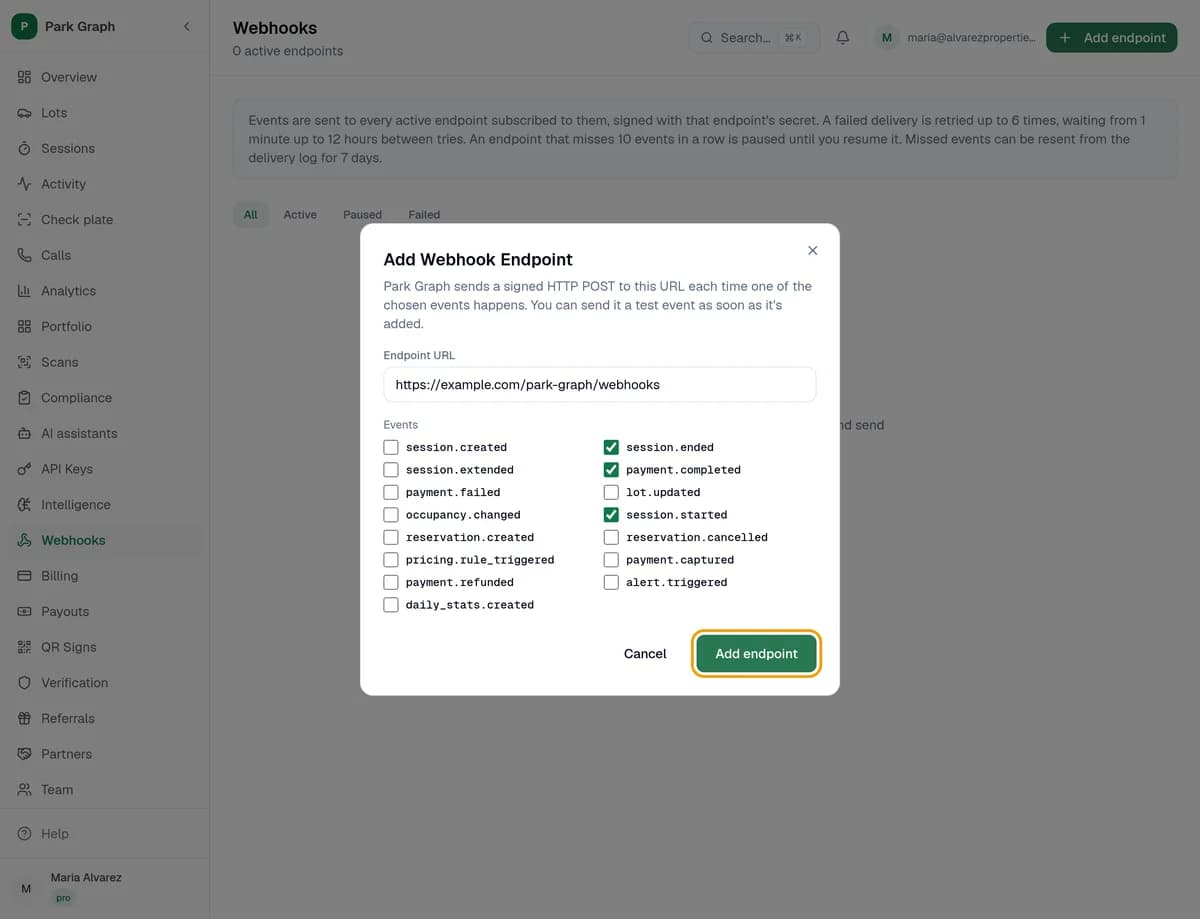
Tick the events you want, like session.started, session.ended and payment.completed. Click Add endpoint.
Step 3: Save the secret and test
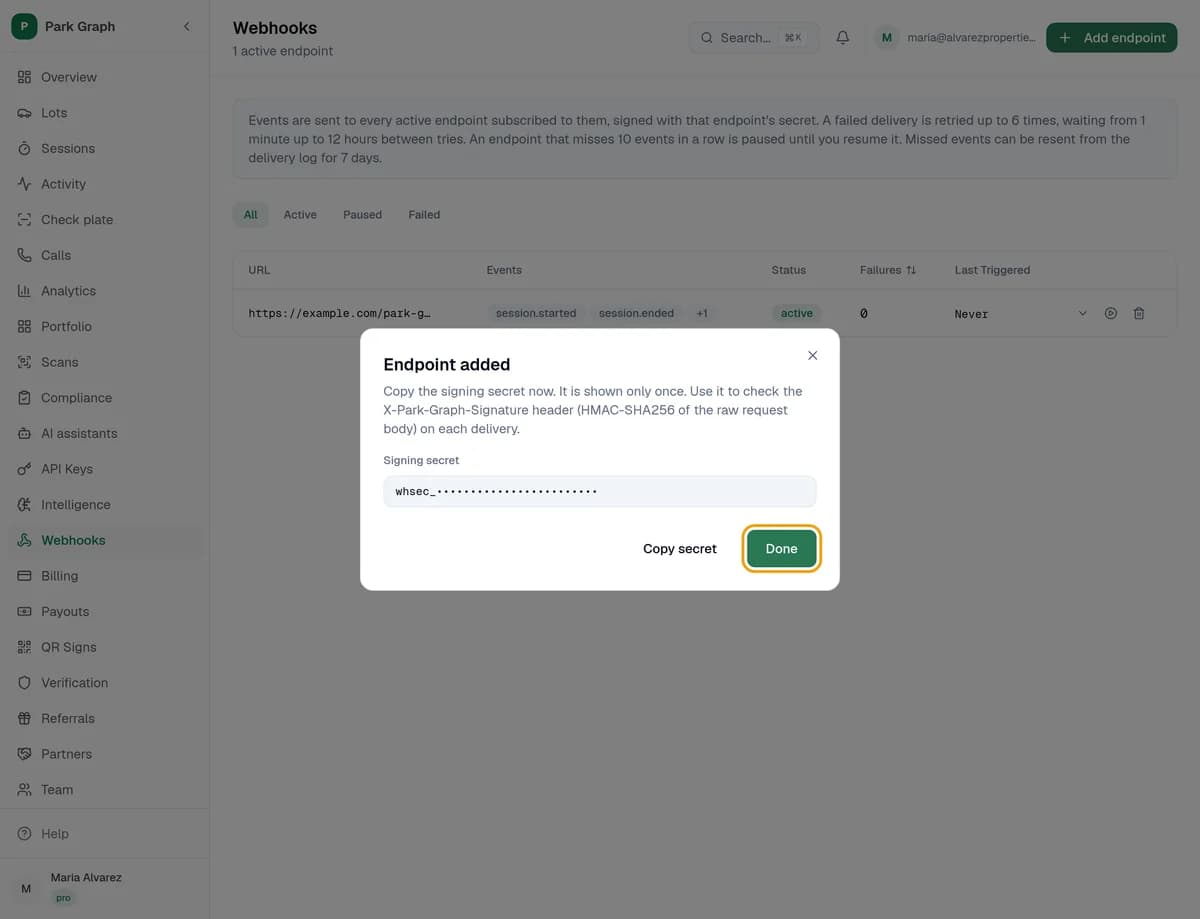
Click Copy secret and keep the Signing secret safe; it's shown only once. Your server uses it to check each message came from Park Graph. Click Done, then click Send test event on your endpoint's row and check your server got it.
You're done when
Your server got the test event, and your endpoint's Delivery logs show it.
Stuck?
- No Webhooks in your menu? Webhooks come with Pro and Enterprise.
- Lost the signing secret? Delete the endpoint and add it again to get a new one.
- Endpoint paused? We pause it after 10 failed deliveries in a row. Fix your server, then click Resume deliveries.
Still stuck? Call (877) 422-PARK.