Configure dynamic pricing
Intermediate8 minPro and Enterprise
What you'll do
Charge more at busy times, automatically.
Have ready
- A lot with an hourly rate
- A Pro or Enterprise plan
Step 1: Open your lot's pricing
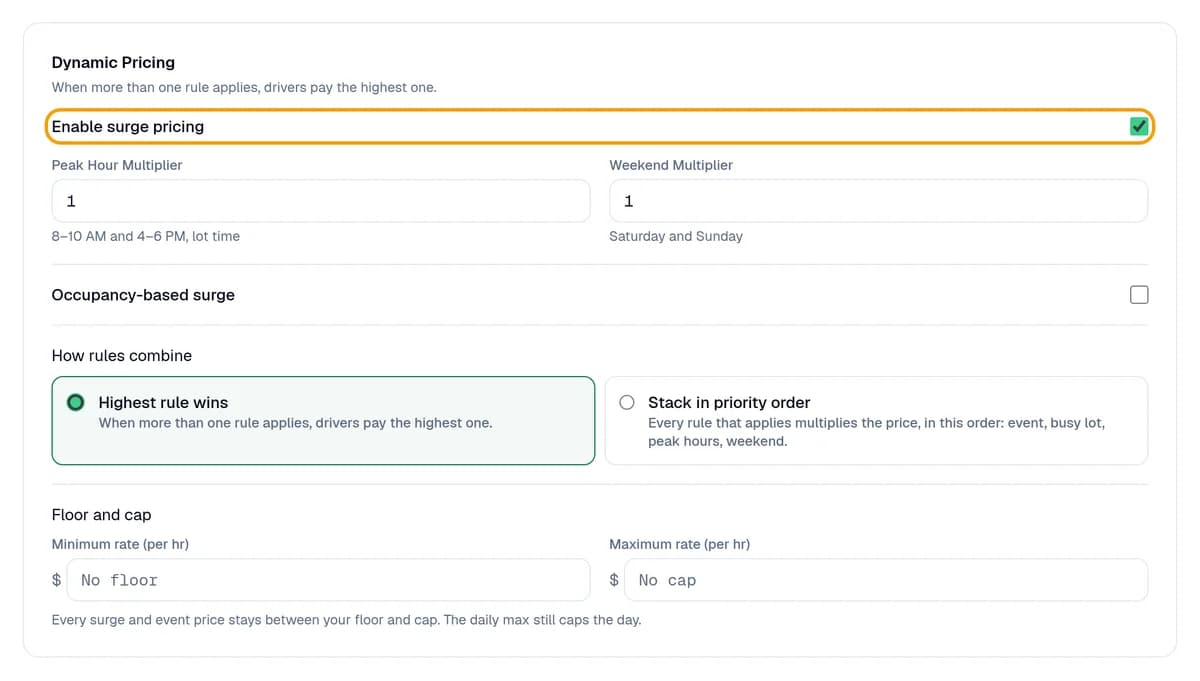
In your dashboard, click Lots, click your lot, then click Pricing. In the Dynamic Pricing card, tick Enable surge pricing.
Step 2: Set your rules
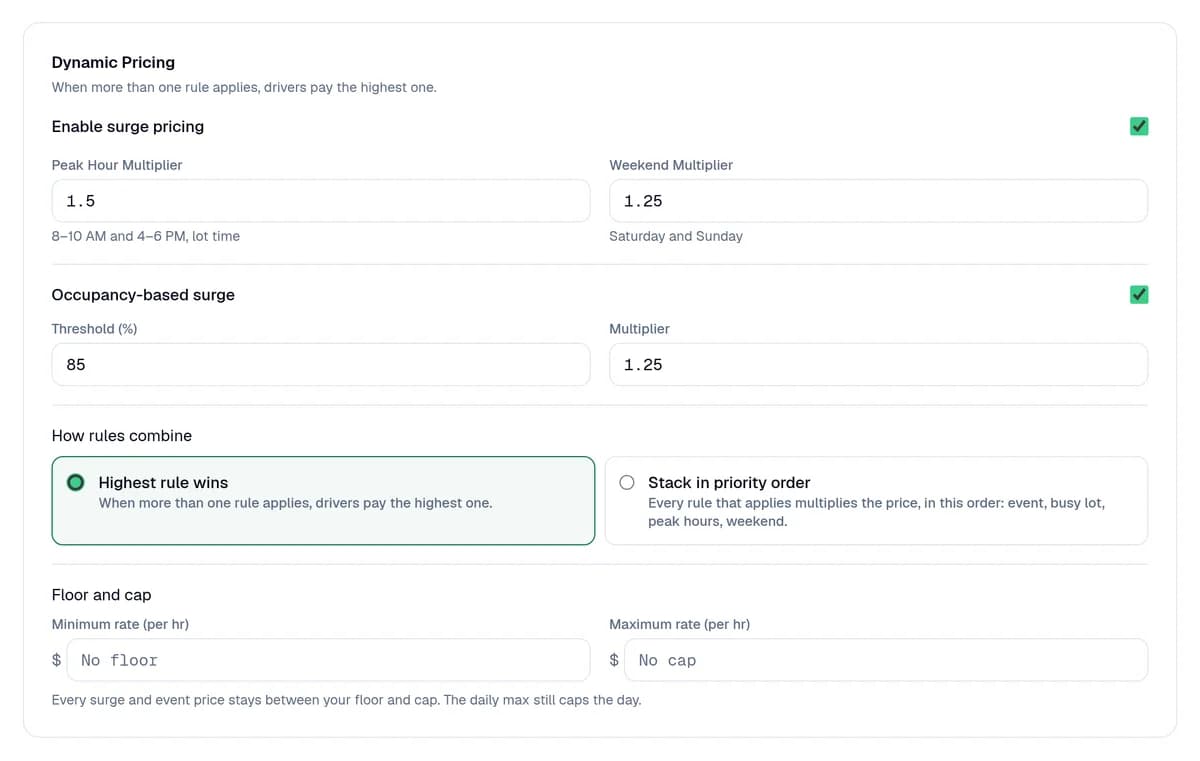
Peak Hour Multiplier raises the price from 8 to 10 AM and 4 to 6 PM, lot time. 1.5 means 50% more. Weekend Multiplier works on Saturdays and Sundays. To charge more when the lot fills up, tick Occupancy-based surge and set Threshold (%) and Multiplier.
Step 3: Set a cap and save
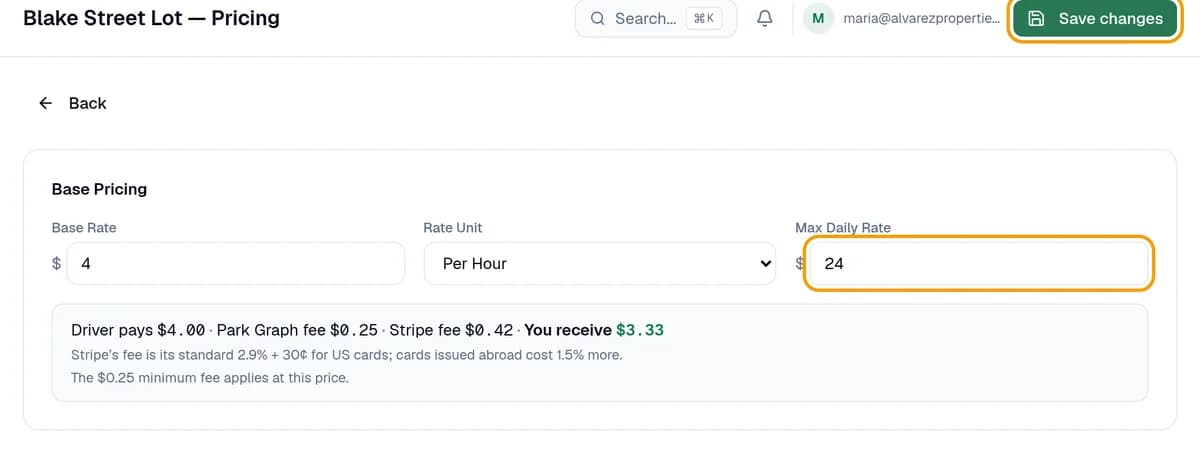
Set Max Daily Rate under Base Pricing, so a full day never costs more than that. Click Save changes at the top. New prices apply to the next driver who parks.
You're done when
After Save changes, the page says Saved. Drivers now see your new rate.
Stuck?
- See Upgrade to Pro? Surge pricing comes with Pro and Enterprise.
- Can't change the peak hours? They're set to 8 to 10 AM and 4 to 6 PM, lot time.
- Prices didn't change? Click Save changes at the top. Drivers already parked keep the price they were shown.
- Looking for Smart pricing? That switch is only in setup. Here it's Enable surge pricing.
Still stuck? Call (877) 422-PARK.