Set up event surge pricing
What you'll do
Charge a special price when there's a game, concert or show near your lot.
Have ready
- A lot with an hourly rate
- A Pro or Enterprise plan
- The date and times of any event you want to add
Step 1: Open Events
Click Lots, click your lot, then click Pricing. Scroll to the Events card and tick Event pricing.
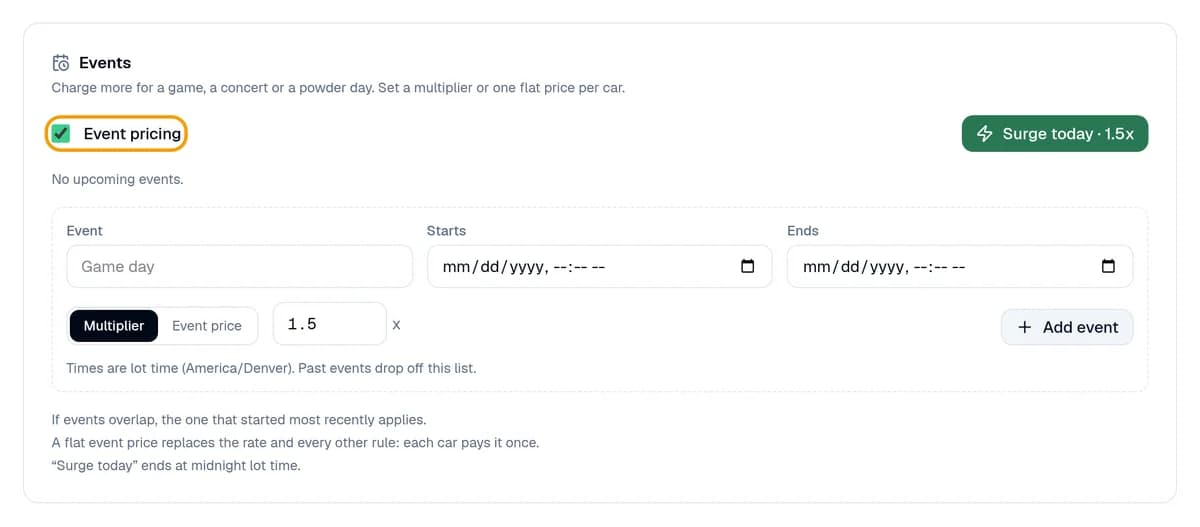
Step 2: Add your events
Type the event's name and pick when it Starts and Ends. Choose Multiplier (2 means double) or Event price (one price per car). Click Add event. Near a stadium or arena? The Event rate card sets one price per car for every event there, from 2 hours before to 4 hours after.
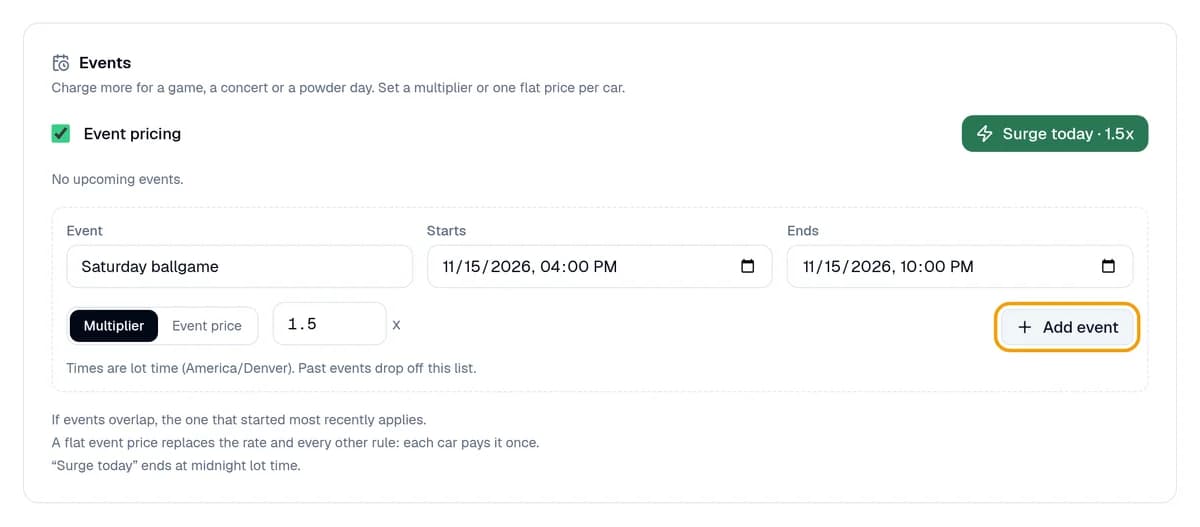
Step 3: Check the list and save
Each event is saved as soon as you add it. Look over the list and click the X next to any you don't want. Then click Save changes at the top so Event pricing stays on. Prices go back to normal when each event ends.
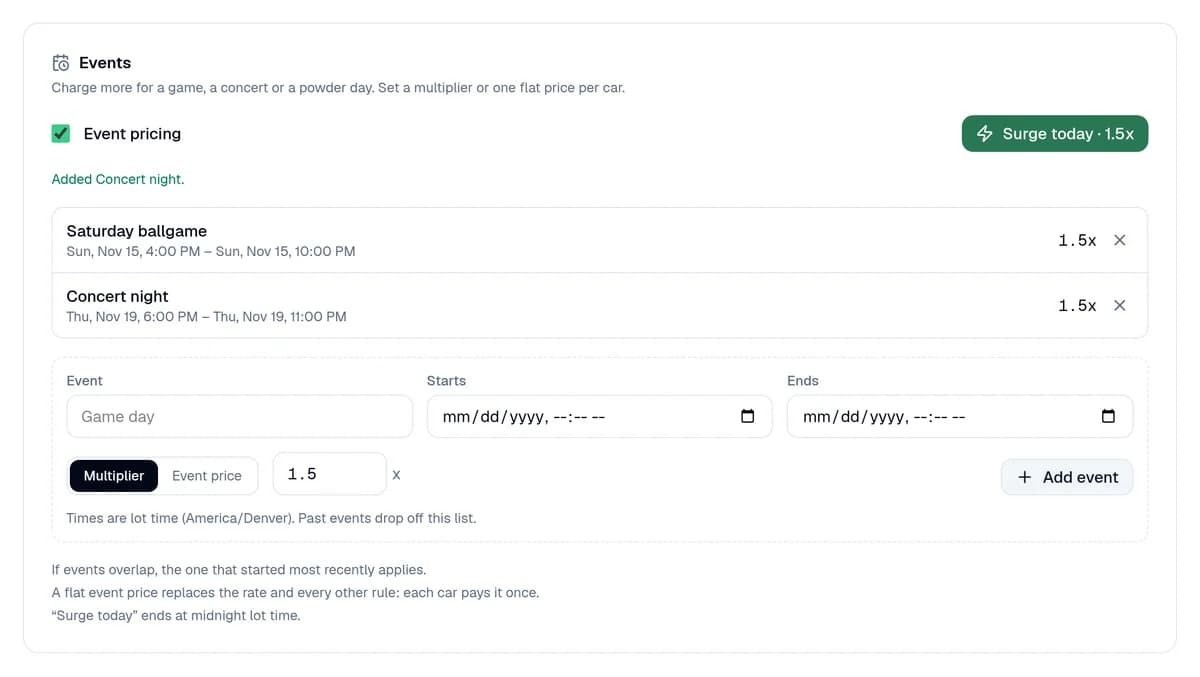
You're done when
Your event is in the list with its price, and it says Live now while it's on.
Stuck?
- See Upgrade to Pro? Event pricing comes with Pro and Enterprise.
- Events not charging? Tick Event pricing and click Save changes. While it's off, drivers pay your normal rules.
- No Event rate card? It shows only when a venue we track is near your lot. You can still add your own events.
- Busy right now, with no event listed? Click Surge today for 1.5 times your price until midnight.
Still stuck? Call (877) 422-PARK.