Connect your Stripe account
Beginner3 min
What you'll do
Connect a Stripe account so drivers' payments go to your bank.
Have ready
- Your bank's routing and account numbers
- Your EIN, or your Social Security number
- A photo ID
Step 1: Open Stripe
In setup, click Connect with Stripe. Skipped it? In your dashboard, click Payouts, then Connect Stripe.
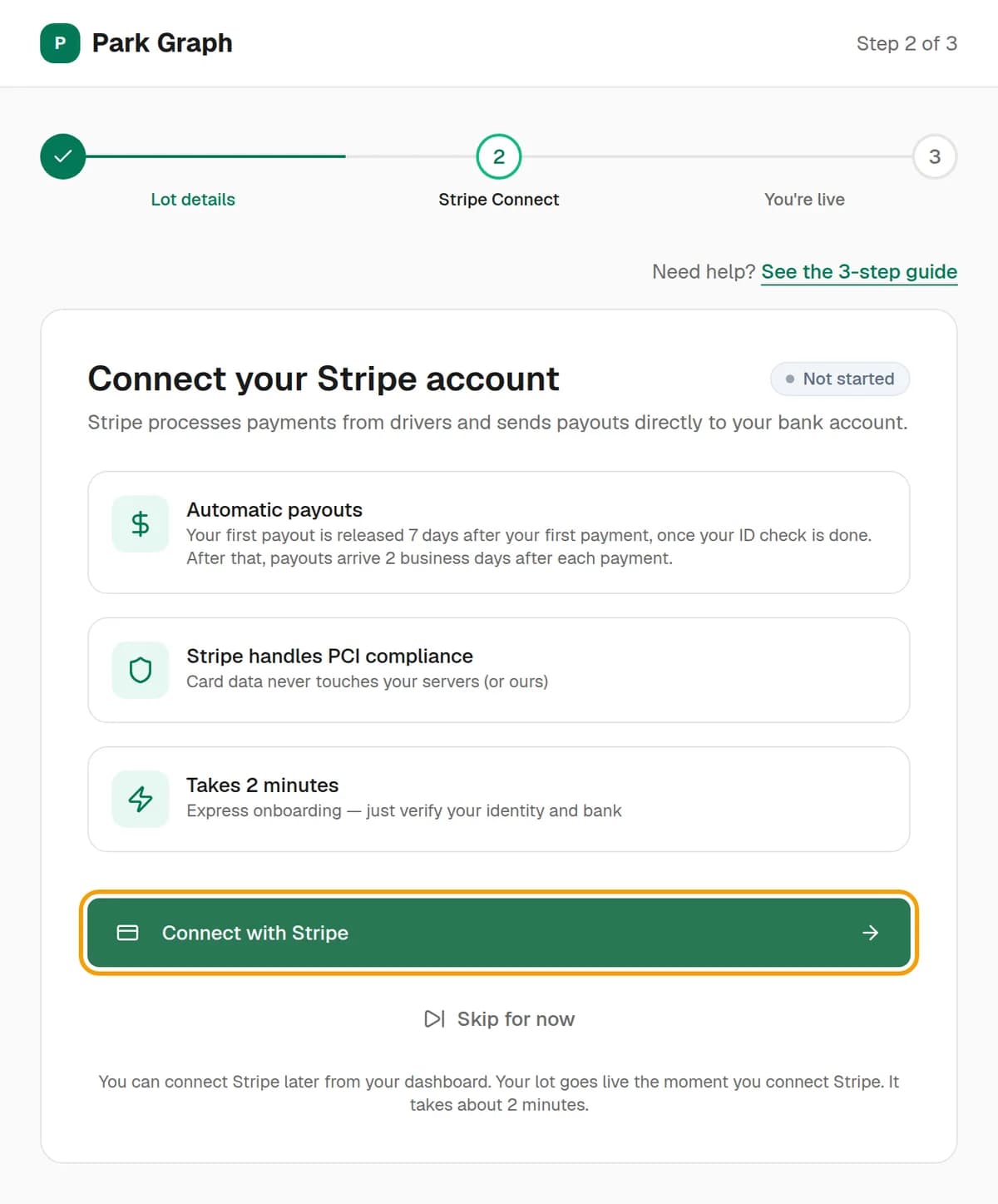
Step 2: Fill in Stripe's form
Stripe asks about your business, your bank and your ID. It's Stripe's own secure page, and Park Graph never sees your bank numbers. If you stop halfway, you'll see Finish in Stripe. Click it to pick up where you left off.
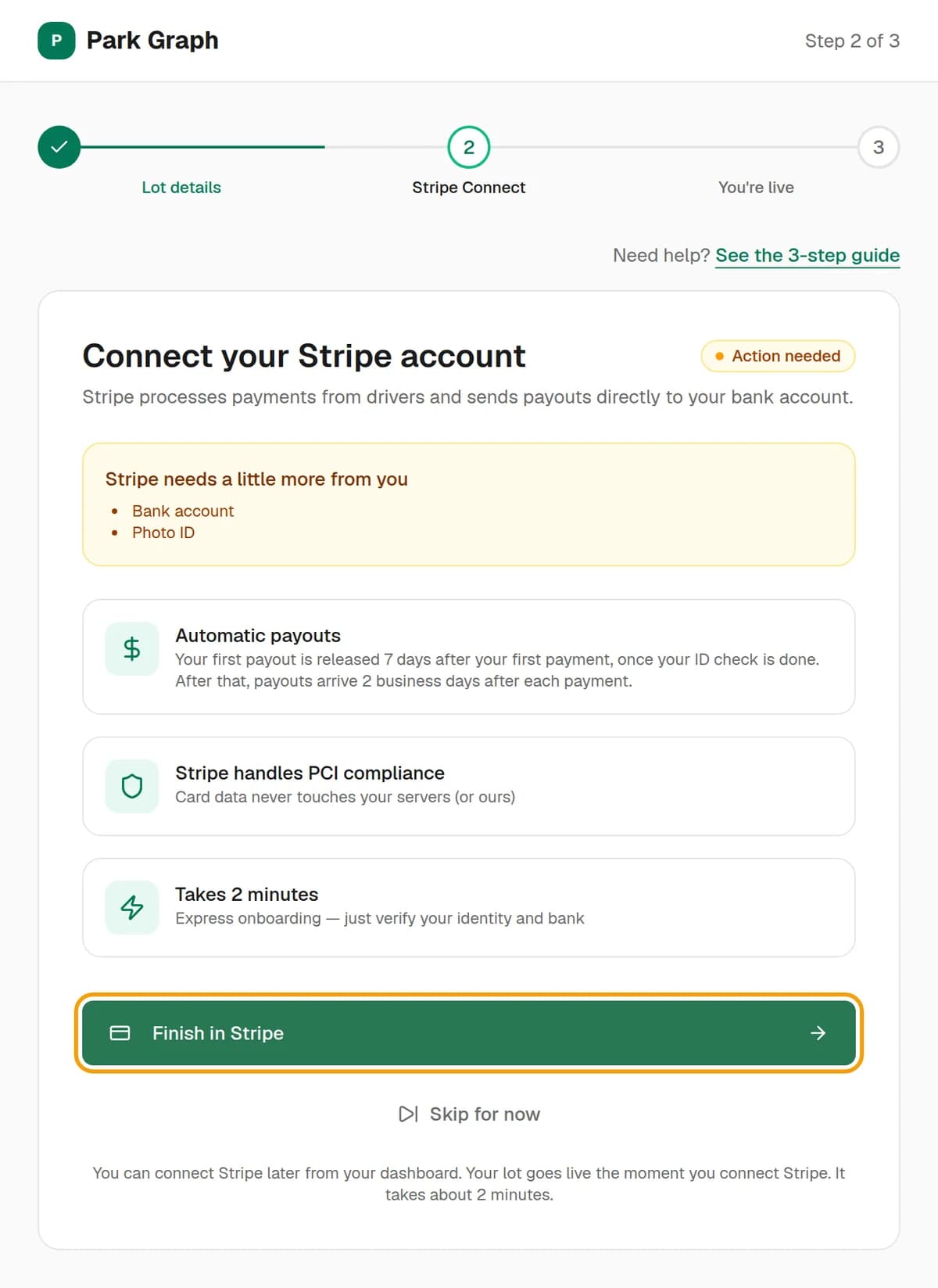
Step 3: Check it worked
Stripe sends you back to Park Graph. The page says Stripe is connected, and your lot goes live. Your first payout is released 7 days after your first payment, once your ID check is done. After that, payouts arrive 2 business days after each payment.
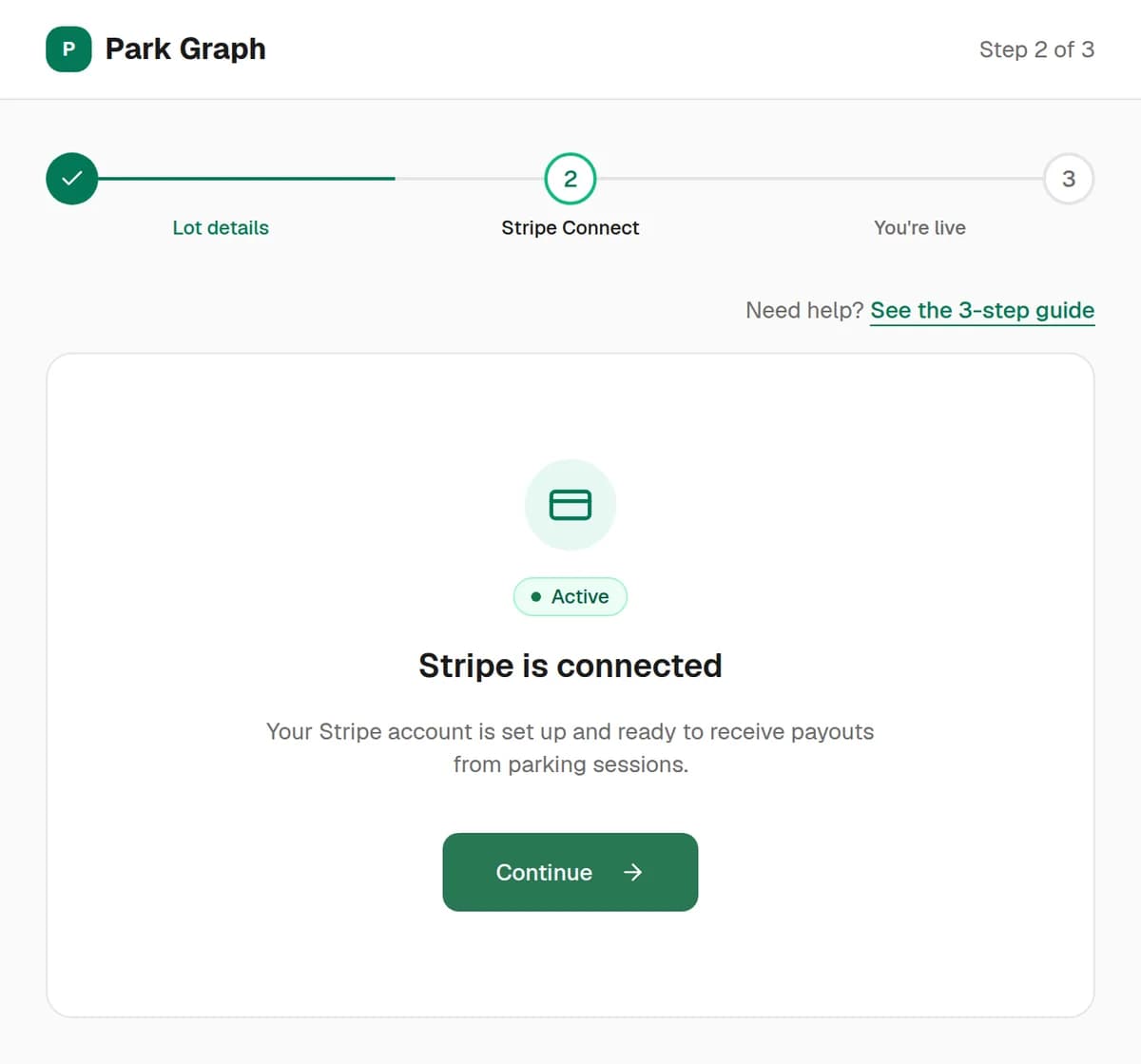
You're done when
The Stripe step says Stripe is connected and shows Active.
Stuck?
- It says Action needed? Stripe needs one more thing, like your ID or your bank. Click Finish in Stripe to see what's missing.
- It says Pending? Stripe is still checking your details. This usually takes minutes. Look for an email from Stripe, then click Refresh status.
- Closed the tab? Sign in again and click Connect with Stripe or Finish in Stripe. Stripe keeps what you already typed.
- Payouts says No payouts yet? That's normal until your first payout is released.
Still stuck? Call (877) 422-PARK.