Generate API keys
Advanced4 minPro and Enterprise
What you'll do
Make a key so your own software can use Park Graph.
Have ready
- A Pro or Enterprise plan
- A safe place for the key, like a password manager
Step 1: Open API Keys
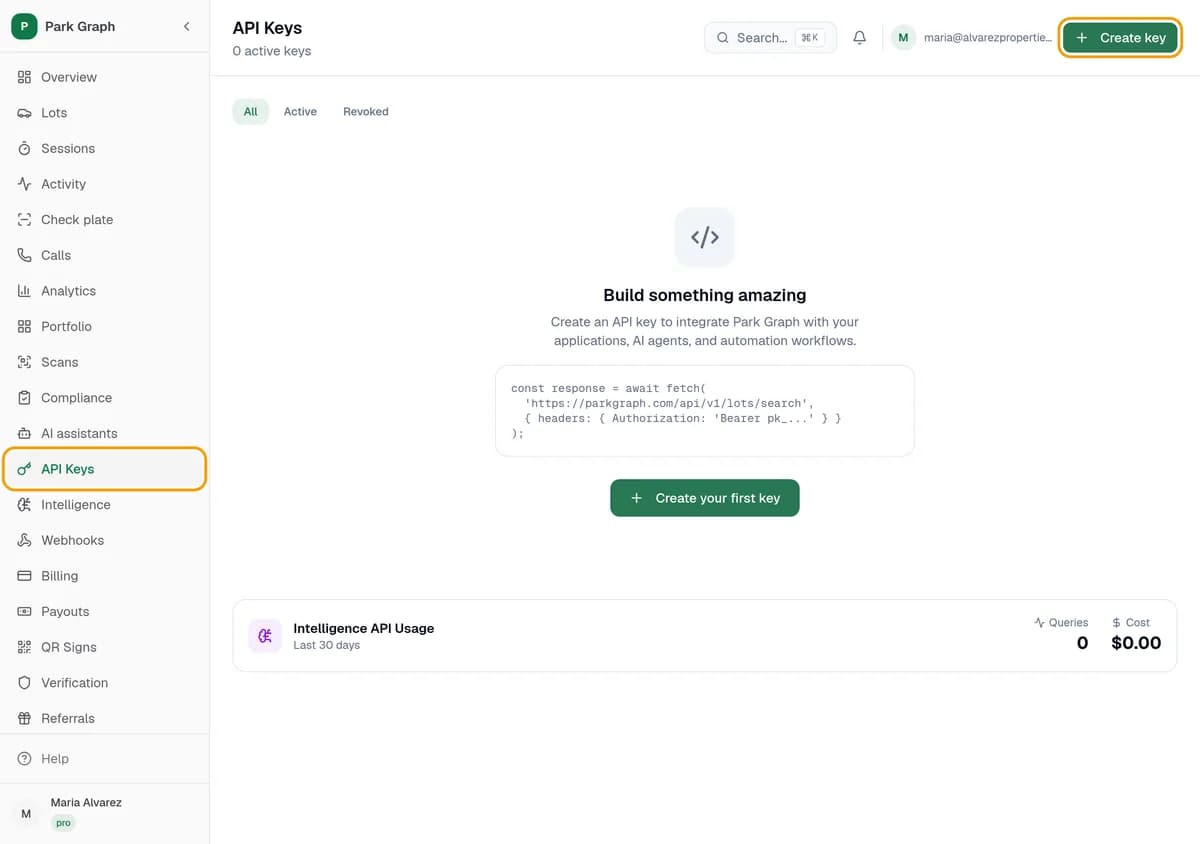
In your dashboard, click API Keys, then Create key.
Step 2: Name it and pick its access
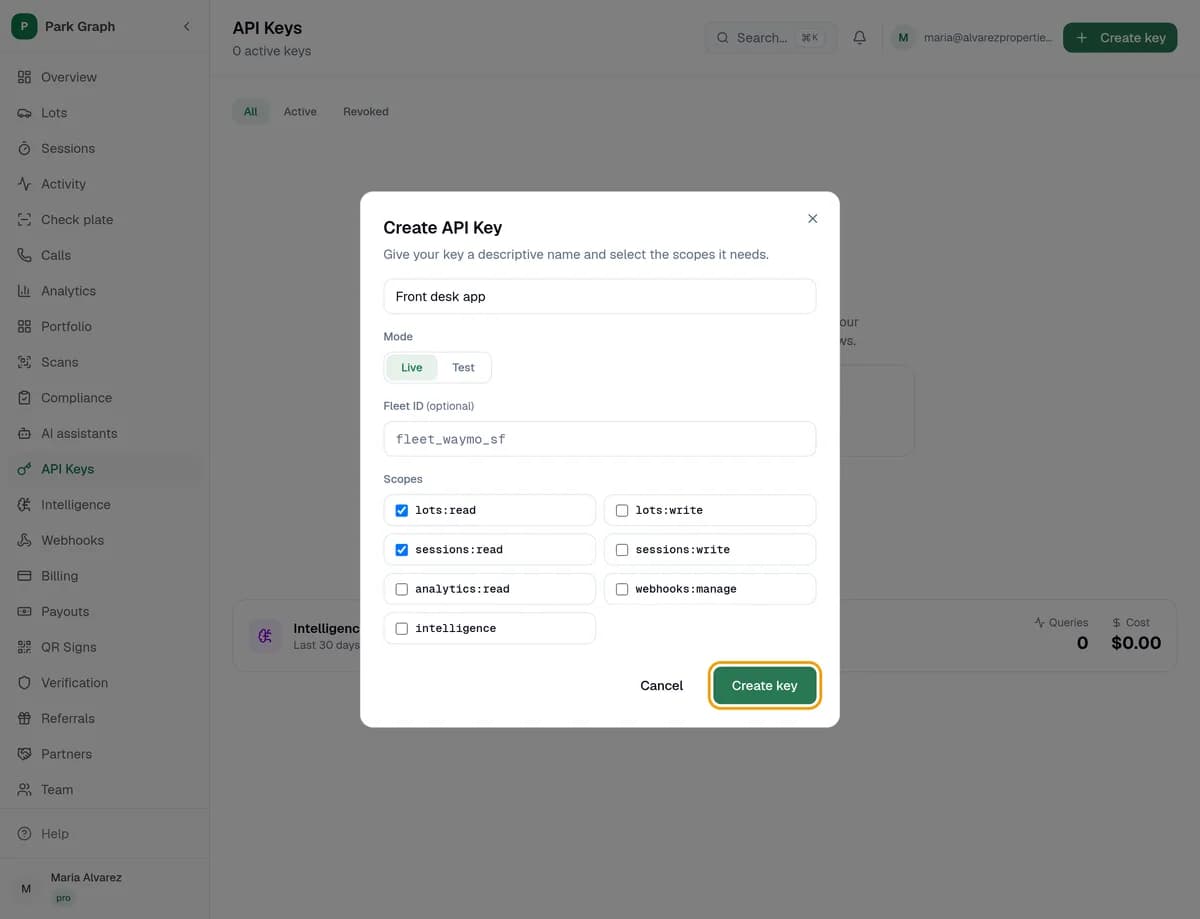
Give the key a name you'll know, like "Front desk app". Pick Live for real use or Test to try things out. Tick only the scopes it needs, like lots:read. Click Create key.
Step 3: Copy it now
Click the copy button. You won't see the key again. Keep it in a password manager or your server's secret settings, never on a website or in an email. Lost it? Click Replace key for a new one; the old one stops working.

You're done when
Your key is in the list and saved somewhere safe.
Stuck?
- No API Keys in your menu? API keys come with Pro and Enterprise.
- Calls refused? Send the key as Authorization: Bearer followed by the key, and check it has the scope the call needs.
- Think a key leaked? Click Revoke key right away, then make a new one.
Still stuck? Call (877) 422-PARK.